In the details
A pointer that’s easy to follow
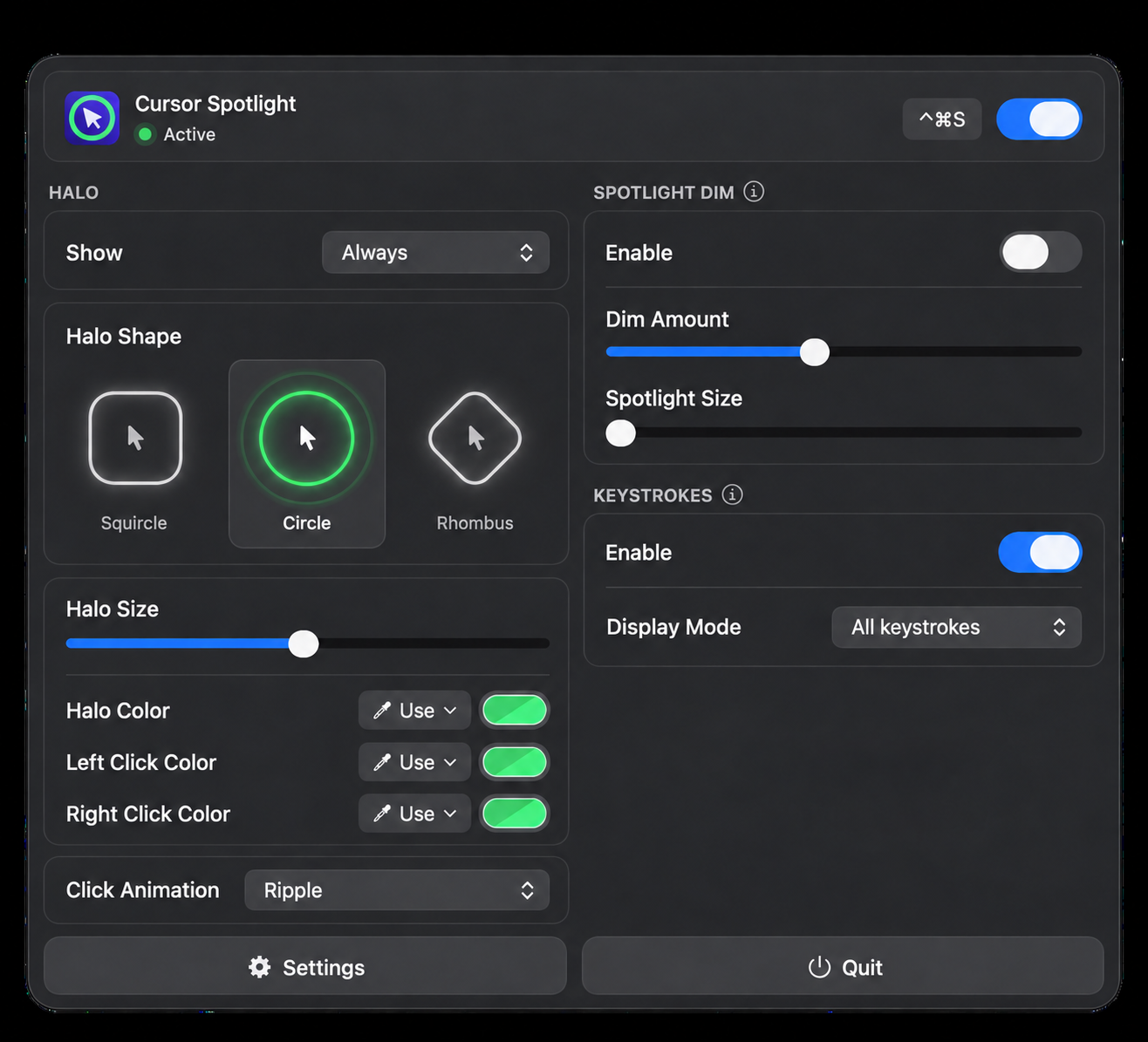
Choose a halo shape, then tune its size and color. A clear visual anchor helps you and your audience track your cursor.

Cursor Spotlight
Help people follow every move. Cursor Spotlight makes your pointer easier to find during everyday work, presentations, lessons, and screen sharing. Add a halo, draw attention with a spotlight, and show the keys you press.
Choose a halo shape, then tune its size and color. A clear visual anchor helps you and your audience track your cursor.
Turn on keystroke display so viewers can follow the keys you press during a demonstration or lesson.
Made for everyday use.
Choose a circle, squircle, or rhombus, then adjust the size and color to suit your screen.
Keep the halo visible or have it appear with movement, clicks, or both.
Customize left- and right-click colors and add animations such as a ripple.
Dim the area around your pointer and adjust the spotlight size and dimming level.
Enable the on-screen key display to help viewers follow your actions and shortcuts.
Turn highlighting on or off and open your controls from the menu bar.