In the details
Set the action. Dial in the timing.
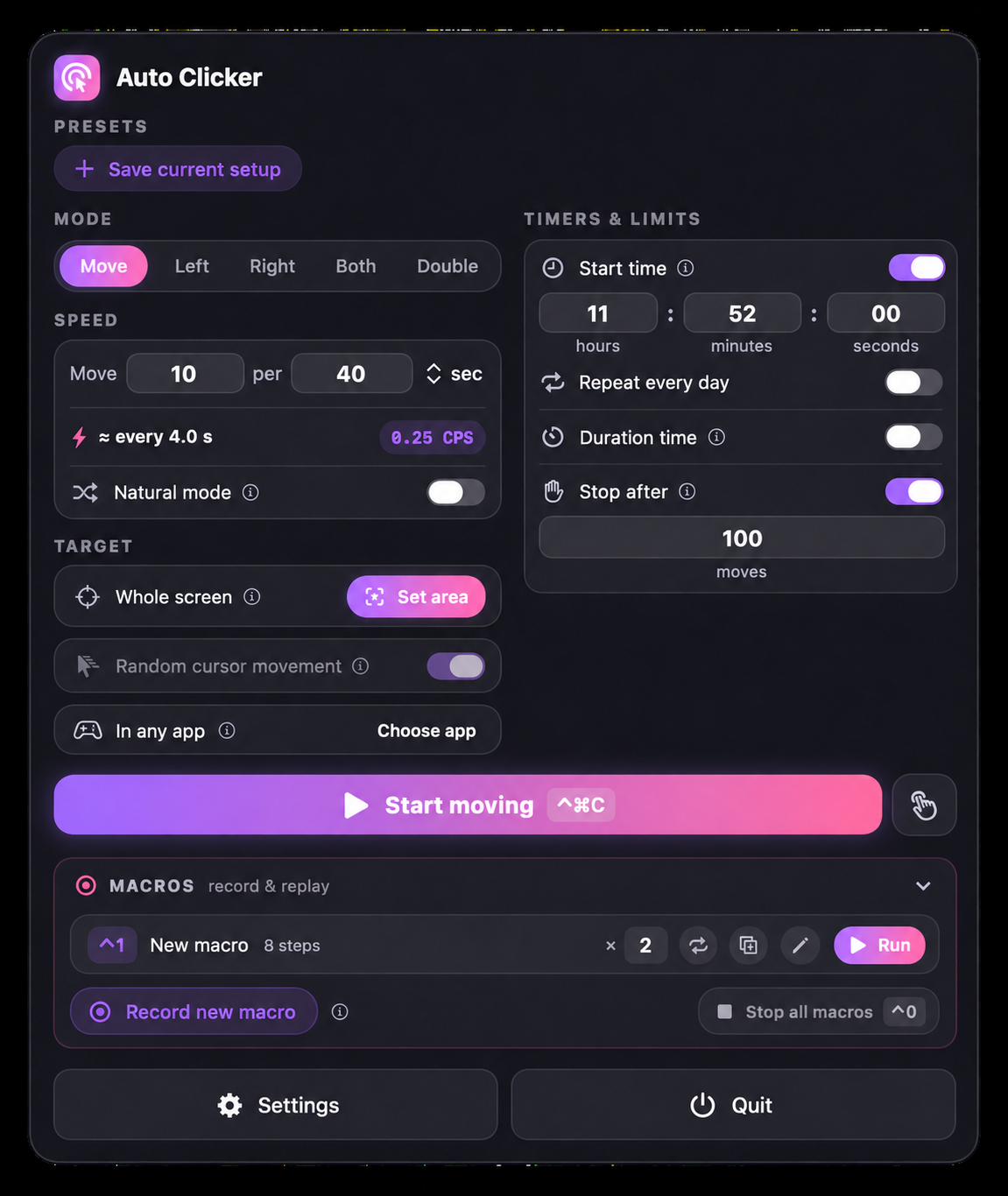
Choose your button or cursor movement, set an action rate, and use Natural mode when you want variation in the rhythm.
Auto Clicker & Macro Recorder
Auto Clicker & Macro Recorder turns repetitive actions into a single keypress. Click, hold, move, and scroll automatically — or record a sequence once and replay it with the same paths and timing. Built for games, grinding, and tasks that shouldn’t cost you your evening.
Choose your button or cursor movement, set an action rate, and use Natural mode when you want variation in the rhythm.
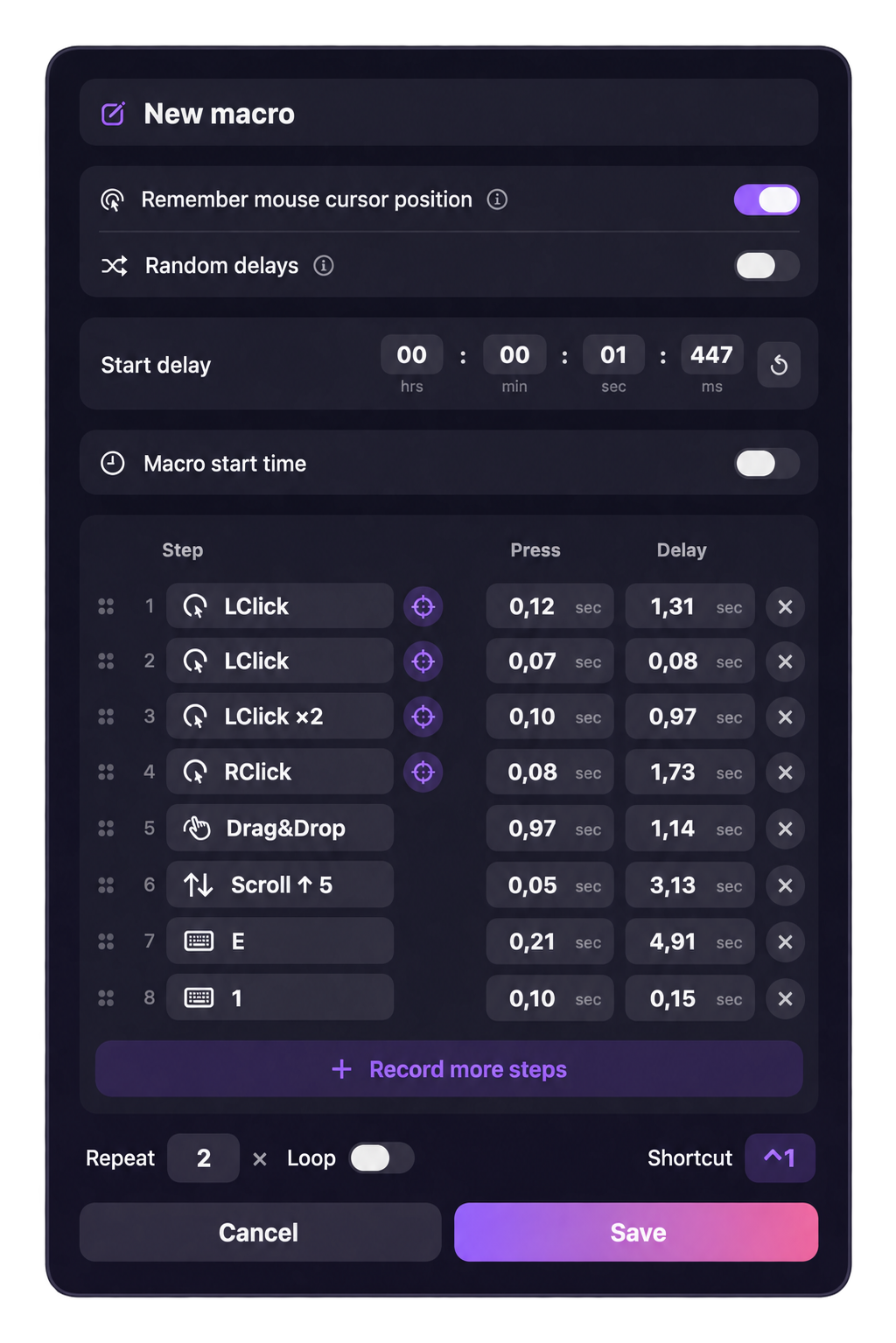
Review the actions you recorded, adjust each press duration and delay, and add more steps when you need them. Choose a repeat count or loop, assign a shortcut, and save the macro for next time.
Made for everyday use.
Use the left, right, or both buttons, double-click, or choose pure cursor movement. Run up to 99 actions per second with a live rate readout.
Set actions per second, minute, or hour, or use millisecond intervals. Natural mode adds human-like variation to the timing.
Click at your cursor, at an exact point, or at random positions inside an area. Fence clicking to a zone: leave it to pause, return to resume.
Pause clicking whenever your chosen game or app isn’t in front. Start and stop with a global shortcut, or hold a key to click.
Capture clicks, drags, scrolling, key presses, cursor and camera movement, held buttons, and middle or side buttons.
Keep the real path of each drag and the timing of each pause. Repeat a set number of times or loop until you stop.
Pause recording to review, then resume. Edit timing, press duration, or step order; remove steps or make clicks follow your cursor.
Launch a macro at a chosen time, repeat daily, and give each macro its own shortcut. Stop everything with one key.
Save complete presets, set duration or action limits, and see what’s running in a floating reminder. Choose from 15 menu bar icon styles.